

Web Design · 26 min read
Dummerston farm stands and the "open today" problem: solving real-time info on static sites
Your Dummerston farm stand loses customers every day because visitors can't tell if you're open right now. Here's how to fix the real-time info problem without rebuilding your entire website or paying for complicated systems.
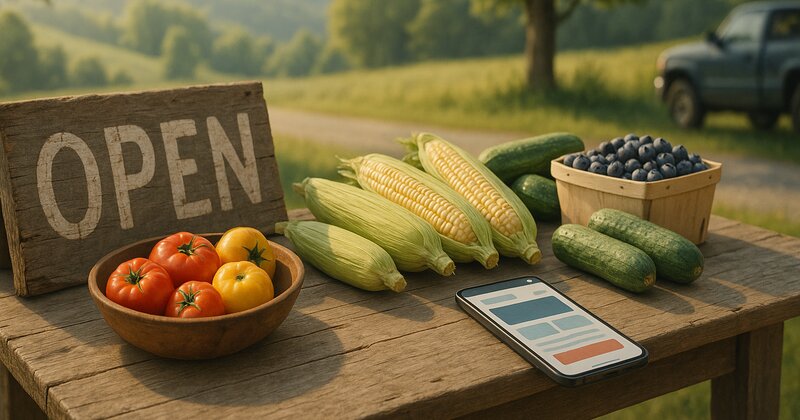
Picture a Dummerston farm stand owner sitting in her pickup truck at 6:45 a.m. on a July Saturday, posting to Facebook: "Stand open today 8am to 2pm, just picked sweet corn, tomatoes, zukes, cukes, green beans, and the first blueberries!" She hits "post," drives back to the stand, and starts setting up. Soon a few cars pull in. One customer saw the post and drove straight over. Another checks Facebook every morning to see if she is open. A third drove by last Tuesday and found the stand closed. That customer almost did not come back.
Facebook lets her post real-time updates (what's available today, whether she's open, when she expects the next harvest). But it also makes her anxious. She posts several times a week during the season (late June through October), and each post takes time (a photo, a caption, replies to comments). Facebook's algorithm is unpredictable: some posts reach a good share of her followers, many reach only a handful. Customers who don't follow her on Facebook (or don't check it daily) have no way to know if she is open.
She has a website (a simple four-page site: home, about, what we grow, contact). It lists her address and general season (late June through October), plus her typical hours (Saturday and Wednesday, 8am to 2pm, weather permitting). But it does not answer the question customers actually care about: are you open today, right now, and what do you have available?
Search "how to show real-time hours on a website" and you find plenty of blog posts about complicated solutions (integrate Google Calendar API, use a WordPress plugin that syncs with your Google Business Profile, build a custom admin dashboard where you log in every morning and toggle "open" or "closed"). She does not have time to learn APIs. Her site is not on WordPress. She does not want to log into an admin panel every morning at 7 a.m. She wants something simple: a way to tell customers "open today" or "closed today due to rain" without rebuilding her entire site or spending 15 minutes every morning updating backend systems.
This post explains why the "open today" problem is so hard for Dummerston (and all southern Vermont) farm stands, agritourism businesses, and seasonal operations. It covers the failed solutions (Facebook-only strategies, complicated CMS dashboards, Google Calendar embeds that break) and the simple, reliable ones that actually work (Google Business Profile posts, SMS-triggered website updates, static-site-friendly status widgets). It also shows how to structure your site so real-time info is easy to update without touching the rest of your pages. Solving this is worth it, because you stop losing the customers who drive by thinking you are closed and never return.
Why the "open today" problem kills Dummerston farm stands (even when your season and hours are clearly listed)
Dummerston farm stands (and similar seasonal businesses: orchards, sugarhouses, berry-picking operations, small-batch cider makers, farm-to-table pop-ups) face a unique challenge: your hours are not predictable like a retail shop or restaurant. A Brattleboro coffee shop is open Monday through Saturday, 7am to 3pm, every week, all year. Customers learn the schedule and internalize it. A Dummerston farm stand is open "Saturday and Wednesday, late June through October, weather permitting, depending on harvest schedule, closed if it rains." Customers cannot internalize that. They need to check before they drive over.
Here is what happens when you do not solve the "open today" problem:
Customers drive by and see no cars. They assume you are closed and leave (even if you are open)
Farm stand customers are cautious. They do not want to drive 10 to 20 minutes (from Brattleboro, Putney, West Dover, or Newfane) only to find you closed. If they drive by and your lot is empty (no cars, no visible activity), they assume you are closed and keep driving. They do not pull in to check. They do not knock on your door. They assume "must be closed today" and leave.
This happens even when you are open. Say a Dummerston farm stand sits on a rural road (light traffic, no walk-by foot traffic). The owner opens at 8 a.m. on Saturdays. At 8:05 a.m., the lot is empty (no customers yet). A car drives by, slows down, sees no other cars, assumes the stand is closed, and drives on. The driver Googles "farm stand open near me" and finds a competitor in Putney (who posted on Instagram half an hour ago "open now, fresh strawberries and lettuce"). The driver goes to the Putney stand instead. The Dummerston stand loses a sale because the driver could not confirm "yes, they are definitely open right now."
An orchard owner who wants to see this for herself can try a simple exercise: on an open weekend, watch the entrance for a while and count the cars that slow down, look, and keep driving. Some of those drivers would have pulled in if they had seen other cars or visible activity (people picking apples, a sign saying "OPEN," someone near the entrance).
Multiply that count by her average sale and by the number of open days in the season, and the total gets uncomfortable fast. All of it is lost because she has no way to signal "yes, we are open right now."
Customers call or message to ask "are you open today?" and you miss calls because you are outside harvesting, setting up, or serving other customers
When customers cannot confirm your hours online, they call or text. But farm stand operators are often outside (harvesting, setting up tables, helping customers load produce into their cars) and cannot answer immediately. A customer calls at 7:30 a.m. on a Saturday (the owner is in the field picking beans). The call goes to voicemail. The customer does not leave a message (most people under 50 hate voicemail). The customer assumes "they must not be open today or they would have answered" and goes somewhere else.
Think about a Dummerston berry farm during its short picking season. The owner's number is on the website, Google Business Profile, and Facebook page, and the phone rings while she is in the rows. Many calls go to voicemail, and few callers leave a message. When she calls back an hour later, some have already gone to a different farm ("I couldn't reach you, so I went somewhere else"). The ones who never left a message are invisible: she has no idea how many would have come if she had answered.
Those are lost sales, and none of them are about the berries. They happen because she could not answer the phone while she was outside working.
Customers check your website, see only "open Saturdays and Wednesdays, weather permitting," and do not know if today is one of the permitting-weather days
"Weather permitting" and "depending on harvest" are necessary caveats for farm stands. You cannot guarantee you will be open every Saturday if it rains hard (muddy lot, no customers will come) or if the harvest is delayed (cold June, nothing ripe yet). But "weather permitting" creates uncertainty for customers. They see "open Saturdays, weather permitting" on your website. Then they think "I have no idea if they're actually open today. It's cloudy. Is that 'weather not permitting'? I don't want to drive over and find out they closed."
Say a Dummerston farm stand lists hours on the website: "Open Saturdays and Wednesdays, 8am to 2pm, late June through October, weather permitting." Over the season the owner closes a handful of days due to rain or late harvest. She posts on Facebook each time ("Closed today due to rain, will reopen Saturday"). But the website does not change (it still says "open Saturdays and Wednesdays"). Customers who check the website but do not follow Facebook have no way to know today is a closed day.
Some of them drive over, see the "CLOSED" sign (handwritten on cardboard, propped at the entrance), and leave disappointed. One might email later: "your website said open Saturdays, I drove over from Brattleboro, you were closed." She replies that she posts updates on Facebook. The answer comes back: "I don't use Facebook. How am I supposed to know if you're open?" She has no good answer.
Google Business Profile shows your general hours, but customers cannot tell if you are open TODAY (especially if today is a non-standard day)
Google Business Profile (the box that appears when someone Googles your business name or "farm stand near me") shows your regular hours (the hours you enter in the GBP dashboard: Saturday 8am to 2pm, Wednesday 8am to 2pm). But if you close early one day (ran out of produce at noon) or open on a non-standard day (Tuesday instead of Wednesday because Wednesday forecast is rain), Google Business Profile does not reflect that unless you manually update it.
Updating Google Business Profile hours is clunky. You log into the dashboard, go to "Info," click "Hours," edit, and save. That is 3 to 5 minutes. If you do it from your phone (because you are at the stand and realized you need to close early), it is 5 to 8 minutes (small screen, slow data connection on a rural Vermont road). Most farm stand operators do not bother updating GBP hours day-to-day. They update once at the beginning of the season (set regular hours) and once at the end (mark as "temporarily closed" or "seasonal hours"). Real-time changes go to Facebook or Instagram, not GBP.
Consider a Dummerston sugarhouse that is open during sugaring season (March and early April, a limited number of days depending on weather and sap flow). The owner updates GBP hours at the start of the season ("Open daily 9am to 5pm during sugaring season") and posts on Facebook each morning ("Boiling today! Stop by for fresh syrup and sugar-on-snow"). But GBP shows "Open daily 9am to 5pm" even on days when the owner is not boiling (waiting for sap to accumulate, or done for the season but hasn't updated GBP yet). Customers Google "sugarhouse near me," see GBP says "Open," drive over, and find the sugarhouse closed (no smoke from the chimney, no cars, door locked). That is exactly how a business picks up 1-star reviews like "drove all this way, they were closed even though Google said open." A polite reply explaining that sugaring depends on the weather does not undo the damage (bad reviews, frustrated customers, lost sales).
The failed solutions (and why they do not work for small seasonal businesses)
When farm stand owners Google "how to show real-time hours on my website," they find solutions that sound good but fail in practice. Here is what does not work and why:
Facebook or Instagram as your ONLY real-time channel (excludes 40% to 60% of your customers who do not use social media or check it daily)
Many Dummerston farm stands rely entirely on Facebook or Instagram for real-time updates. This works for a subset of customers (people who follow you, check daily, and see your posts in their feed). But it fails for everyone else:
- People who do not use Facebook or Instagram (40% to 50% of adults over 50 and 60% to 70% of adults over 65, plus a growing number of younger people who have quit social media).
- People who follow you but do not see your posts (Facebook's algorithm shows your post to 10% to 30% of your followers unless they interact with every post, and most do not).
- Tourists and travelers passing through (they do not follow you yet, they Google "farm stand near me" or drive by and want to check if you are open right now).
If you post on Facebook, open your page insights and compare how many people each post reaches with how many followers you have, and with how many different customers you serve in a season. For most small stands, each post reaches only a slice of the followers, and the followers are only a slice of the customers. Everyone else has no reliable way to know if you are open.
You can test this yourself. Post on Facebook Friday evening ("Open tomorrow (Saturday) 8am to 2pm, fresh corn and tomatoes!"), then ask every Saturday customer "how did you know we were open today?" Expect a mix of answers: saw the post, drove by and saw you, always come on Saturdays, called and got through, checked the website and hoped. Many of those methods are unreliable ("drove by and hoped" is not a strategy, it is luck).
Facebook-only strategies exclude most of your customers. You need a solution that works for Facebook users AND non-Facebook users.
WordPress plugins or CMS dashboards that require you to log in every morning and toggle "open" or "closed" (too much friction, you forget, or you are too busy)
Some farm stand owners use WordPress or Squarespace sites with plugins or widgets that let you mark your business "open now" or "closed today." Examples: "WP Business Hours" plugin (you log into WordPress, go to the plugin settings, check a box that says "closed today"), or a Squarespace "announcement bar" widget (you log in, type "CLOSED TODAY, reopening Saturday," and publish).
These solutions sound good but fail in practice because they require you to log in every morning (or the night before) and manually update. Most farm stand operators do not have this in their morning routine. You wake up, check the weather, decide whether to open, harvest or set up the stand, and start selling. You do not think "I need to log into WordPress and check the 'open today' box." You post on Facebook (because your phone is in your pocket and posting takes 60 seconds) but you do not log into your website backend (because it takes 3 to 5 minutes and requires a laptop or fighting with a mobile browser and a small screen).
Picture a Dummerston orchard with a WordPress plugin that puts an "open today" banner at the top of the homepage. The owner is supposed to log in every morning and toggle "open" or "closed." In the rush of apple season, she forgets on some mornings. Some days the banner says "closed" when she is open; other days it says "open" when she has been rained out. Customers complain ("your website said open but you were closed"), and others see "closed" and stay home even though she is open.
Eventually she stops using the plugin. Too much friction, too easy to forget, too many errors. She goes back to Facebook-only updates, which exclude non-Facebook customers. She loses either way.
Embedding a Google Calendar on your website (breaks on mobile, looks cluttered, customers do not understand how to read it)
Some farm stands embed a Google Calendar on their website (you create a public Google Calendar and add events for each day you are open, then embed it on your site using an iframe). The idea: customers look at your calendar to see whether today is marked "open" and know your status.
This fails for three reasons:
- Google Calendar embeds look terrible on mobile (tiny text, hard to navigate, customers have to pinch-zoom and scroll horizontally). 60% to 75% of farm stand website visitors are on mobile (Googling on their phone while driving or planning a weekend outing).
- Customers do not understand calendar interfaces (they see a grid of dates, some with text, some without, and they are not sure if today's blank square means "closed" or "forgot to update").
- You still have to update the calendar daily (log into Google Calendar, add or edit today's event, save). Same friction problem as WordPress dashboards.
Imagine a berry farm that embeds a Google Calendar and adds an event for each open day ("Open 9am to 4pm, strawberries ready!"). On a phone, the calendar is close to unusable (tiny text, lots of zooming, awkward scrolling). The emails that follow are predictable: "I tried to check your calendar but I couldn't read it on my phone" or "your calendar was confusing, I gave up and called instead."
A calendar like that adds clutter and does not work on mobile. Customers do not trust it either (they call anyway to confirm). Embedding calendars is not the answer.
SMS or email subscriptions where customers sign up for daily updates (low opt-in rate, spam concerns, requires you to send messages every day)
Some farm stands ask customers to sign up for text or email updates ("text your email to [number] and we'll send you our daily open/closed status and harvest updates"). This works for highly engaged customers (people who love your stand and want daily updates). But opt-in rates are low (5% to 15% of customers will sign up), and sending daily texts or emails is work (you have to remember to send, write a message, avoid spam filters or carrier blocks).
Say a Dummerston CSA farm tries a weekly email ("we'll tell you what's available at the farm stand this week and when we're open"). Only a small share of customers sign up, and only some of those open any given email. Do the math (subscribers times open rate divided by total customers) and the reach is a small fraction of the customer base. Not enough to solve the "open today" problem.
SMS subscriptions have higher open rates (85% to 95%) but lower opt-in rates (3% to 8%) and compliance concerns (you need explicit opt-in, you have to include opt-out instructions, carriers block messages if customers mark them as spam). Most small farm stands do not have time to manage SMS compliance.
The solutions that actually work (simple, reliable, low-friction)
The best solutions for the "open today" problem are low-friction (you can update them in 60 to 90 seconds from your phone), visible to all customers (not just Facebook followers), and reliable (they do not break, do not require daily logins to WordPress, do not depend on algorithms). Here are three that work:
Solution 1: Google Business Profile posts (visible in Google search and Maps, takes 60 seconds, reaches all Google users)
Google Business Profile posts are short updates (text, photo, optional button) that appear on your Google Business Profile (the box that appears when someone Googles your business name or "farm stand near me"). Posts are visible for 7 days (or until you delete them). You can post from the Google Business Profile app (iOS or Android, 60 to 90 seconds from your phone).
How to use GBP posts for "open today" updates:
Every morning (or the night before), open the Google Business Profile app, tap "Add update," and post:
- "Open today (Saturday, July 12) 8am to 2pm. Fresh-picked sweet corn, tomatoes, cucumbers, zucchini, and the first blueberries. See you soon!"
- Photo: a basket of today's harvest (corn, tomatoes, blueberries).
- Button: "Call" (optional, links to your phone number).
Post this at 7am (before you open) or the night before (Friday evening, 6pm). The post appears on your Google Business Profile immediately. When customers Google "farm stand Dummerston" or "farm stand near me" (and your GBP appears in results), they see your post at the top of the profile. They know "yes, they are open today, they have corn and tomatoes, hours are 8am to 2pm."
Why this works:
- Low friction: 60 to 90 seconds from your phone, no laptop required, no login to WordPress or Squarespace.
- High visibility: Google Business Profile appears in 70% to 85% of local searches (people Googling your name or "farm stand near me" see your profile and your post).
- Works for all customers: Facebook users, non-Facebook users, tourists, locals: everyone uses Google.
- No algorithm: Your post appears on your profile for 7 days (or until you delete it). It is not buried by an algorithm.
Example:
Say a Dummerston farm stand posts three times per week (Saturday, Wednesday, and Friday evening, with the Friday post previewing Saturday's hours and harvest). Each post takes 60 to 90 seconds (snap a photo of today's harvest, open the GBP app, type 2 to 3 sentences, hit "post"). Over an eight-week stretch, that adds up to well under an hour of total effort.
To see whether it is working, ask customers "how did you find us?" before and after you start posting, and keep a rough tally of "are you open?" phone calls. The goal is more people saying "I Googled you and saw you were open today," and fewer calls asking about hours (and more asking "do you have [specific item]?").
Every customer who can confirm you are open instead of giving up is a sale you would otherwise have lost, and GBP posts cost nothing but a minute of your time.
Solution 2: A simple status widget on your website (updated via Zapier, Airtable, or a Google Sheet, no CMS login required)
If you want real-time status on your website (not just on Google Business Profile), you can add a status widget (a small box or banner at the top of your homepage that says "OPEN TODAY 8am-2pm" or "CLOSED TODAY, reopening Saturday"). The key: the widget pulls data from an external source (Google Sheet, Airtable, or a form submission) so you do not have to log into your CMS to update it.
How it works:
- Your developer adds a status widget to your homepage (a div with a background color, large text, and a message: "OPEN TODAY 8am-2pm" or "CLOSED TODAY").
- The widget pulls its content from a Google Sheet or Airtable base (one row: "status" and "message" columns).
- You update the Google Sheet or Airtable from your phone (Google Sheets app or Airtable app, 30 to 60 seconds).
- The website checks the Google Sheet or Airtable every 5 to 15 minutes (via an API call or embed script) and updates the widget automatically.
Example setup (Google Sheets version):
- Google Sheet has two columns: "status" (values: "open" or "closed") and "message" (values: "Open today 8am-2pm, fresh corn and tomatoes!" or "Closed today due to rain, reopening Saturday").
- Your website homepage has a status widget (top of page, full-width banner). The widget checks the Google Sheet every 10 minutes (via Google Sheets API or a simple script).
- If "status" = "open," the widget shows a green banner with the "message" text.
- If "status" = "closed," the widget shows a red banner with the "message" text.
You wake up Saturday morning, decide you are opening today, open the Google Sheets app on your phone, change "status" from "closed" to "open," change "message" to "Open today 8am-2pm, sweet corn and blueberries available!", and save (30 seconds). Within 10 minutes, the website updates automatically (green banner appears: "Open today 8am-2pm, sweet corn and blueberries available!"). Customers visiting your site see your real-time status without you logging into WordPress or Squarespace.
Why this works:
- Low friction: 30 to 60 seconds from your phone, no CMS login required.
- Visible on your website: Customers checking your site (not just Google or Facebook) see your status immediately.
- Reliable: Google Sheets and Airtable are stable, fast, and accessible from any device.
- No CMS plugin required: Works with any website (custom HTML, WordPress, Squarespace, anything) as long as your developer can add a script that reads from Google Sheets or Airtable.
Cost:
A developer can set this up in 2 to 4 hours ($200 to $500 one-time). Google Sheets and Airtable are free (for small-scale use like this). Ongoing cost: $0 (unless you pay a subscription service to host the script, typically $0 to $10/month).
Example:
Picture a Dummerston orchard with a status widget on the homepage, built with Google Sheets and a small JavaScript script (it checks the sheet every 10 minutes and updates the banner). The owner updates the sheet from her phone every morning (20 to 40 seconds: open the Sheets app, change "status" to "open," change "message" to today's hours and details, save).
The payoff to watch for: fewer "are you open today?" calls, and more people who check the website, see "OPEN TODAY," and decide to visit instead of giving up or calling.
Compare the one-time setup cost with what a few extra customers per weekend are worth at your average sale, and the widget usually pays for itself quickly.
Solution 3: A dedicated "Open Today" page (simple, low-tech, updated via email or SMS-to-website service)
If a widget or Google Sheet integration feels too technical, you can create a dedicated "Open Today" page on your website (a single page with one purpose: show today's status and today's harvest). You update this page via a simple email or SMS-to-website service (you send an email or text, the service posts it to the page automatically, no CMS login required).
How it works:
- Your website has a new page: yoursite.com/open-today (or yoursite.com/status).
- The page shows one message (updated daily): "Saturday, August 3, 2024: OPEN 8am-2pm. Today's harvest: sweet corn, tomatoes, zucchini, cucumbers, green beans, blueberries. See you soon!" or "Wednesday, August 7, 2024: CLOSED due to rain. Reopening Saturday."
- You update the page by sending an email (to a dedicated email address like updates@yoursite.com) or an SMS (to a dedicated phone number). The service (Postmark Inbound, Twilio, Zapier) receives your email or SMS and posts it to the page automatically (within 1 to 2 minutes).
- You link to the "Open Today" page from your homepage (big button: "Are we open today? Check here").
Why this works:
- Extremely low friction: Send an email or text from your phone (30 seconds). No app to open, no sheet to edit, no CMS to log into.
- Visible and clear: Customers click one link ("Open Today") and immediately see your status (no hunting through Facebook or guessing based on general hours).
- Works for non-technical owners: If you can send an email or text, you can update this page.
Cost:
Developer setup: 1 to 3 hours ($150 to $400 one-time). Email-to-website service: $0 to $15/month (Postmark Inbound is free for low volume, Zapier starts at $20/month but you can use the free tier for this). SMS-to-website service: $1 to $5/month (Twilio charges per message, ~$0.0075 per SMS, so 50 updates per month = $0.38).
Example:
Imagine a Dummerston sugarhouse with an "Open Today" page (simple HTML and one text block, updated by email through Zapier plus Postmark Inbound, both on free tiers). The owner updates the page by sending an email from his phone each morning: subject = "Open Today Update", body = "Monday, March 10: BOILING TODAY 10am-5pm. Fresh syrup, sugar-on-snow, sugarhouse tours. Stop by!" Zapier receives the email and posts it to the /open-today page within a minute or two.
He adds a big button on the homepage: "Are we boiling today? Click here to find out." The button links to /open-today. Customers click the button and see today's status, so they know whether to visit.
What changes is easy to notice in a short season: fewer "are you boiling today?" calls, and more people who check the page, see "yes, boiling today," and come.
How to structure your website so real-time info is easy to add (without rebuilding the entire site)
If you already have a website (built in 2020, 2022, 2024) and you want to add real-time status, you do not need to rebuild the whole site. You can add one of the solutions above with minimal changes. Here is how to structure it:
Add a status banner or widget to the top of your homepage (above the fold, first thing visitors see)
The status widget or banner should be the first element on your homepage (above your logo, above your hero image, above everything else). Full-width, bold color (green for "open," red for "closed," yellow for "opening soon" or "limited hours"), large text (18pt to 24pt on mobile, 24pt to 32pt on desktop).
Example design:
- Green banner (background: #2F5D50, text: white): "OPEN TODAY (Saturday, August 3) 8am-2pm. Fresh sweet corn, tomatoes, blueberries, and more!"
- Red banner (background: #B34A36, text: white): "CLOSED TODAY due to rain. Reopening Wednesday, August 7."
Link the banner to your "Open Today" page (if you have one) or your Google Business Profile (if you use GBP posts). Visitors see the banner, click it for more details (today's harvest list, directions, contact info).
Add a prominent link or button: "Are we open today? Check here"
If you do not want a banner (it takes up space, it is only useful during the season), add a button instead. Place it at the top of your homepage (above or below the main headline). Style it as a big, obvious button (200px to 300px wide, high-contrast color, large text).
Example button text:
- "Are we open today? Check here"
- "Today's hours and harvest"
- "Open today?"
Link the button to your Google Business Profile (direct link: google.com/maps/place/[your-business-name]) or your "Open Today" page (if you built one).
For example, a farm stand could add a homepage button reading "ARE WE OPEN TODAY? Click here for today's hours and harvest," linked to its Google Business Profile (where the owner posts daily updates). A simple link tracker will show how many visitors click it. Every click is someone who would otherwise have had to hunt for the info (and many would have given up or called).
Use your "About" or "Visit Us" page to set expectations (general hours, season, how to check real-time status)
Your homepage should answer "are we open today?" (via banner, widget, or button). Your About or Visit Us page should explain your general schedule and how customers can check real-time status.
Example text (Dummerston farm stand "Visit Us" page):
When we're open
We're open Saturdays and Wednesdays, 8am to 2pm, from late June through October. Hours depend on weather and harvest schedule, so we recommend checking before you visit.How to know if we're open today
- Check our Google Business Profile for daily updates (we post every morning with today's hours and what's available).
- Follow us on Facebook for harvest updates and seasonal news.
- Call or text: (phone number). We reply within an hour (usually faster).
Where we're located
[Address], Dummerston, VT. We're on [Road Name], 3 miles south of Brattleboro, just past [landmark]. Look for our sign at the roadside pull-off. GPS coordinates: [lat, long].What to expect
We grow [list crops: tomatoes, peppers, cucumbers, zucchini, beans, corn, berries]. Selection changes weekly based on what's ripe. Cash or check preferred (we also accept Venmo). Bring your own bags or boxes. Prices are posted at the stand.
This page sets clear expectations (general hours, how to check real-time status, where to find you, what to bring). Customers feel informed and confident visiting.
Add schema markup (OpeningHoursSpecification with validFrom and validThrough for seasonal hours)
Schema markup tells Google (and AI tools like ChatGPT and Perplexity) your hours, season, and contact info. For seasonal businesses, use OpeningHoursSpecification with validFrom and validThrough properties (tells Google your hours are only valid during a specific date range).
Example schema for a Dummerston farm stand:
{
  "@context": "https://schema.org",
  "@type": "LocalBusiness",
  "name": "Riverside Farm Stand",
  "address": {
    "@type": "PostalAddress",
    "streetAddress": "123 River Road",
    "addressLocality": "Dummerston",
    "addressRegion": "VT",
    "postalCode": "05301"
  },
  "telephone": "+1-802-555-0123",
  "openingHoursSpecification": [
    {
      "@type": "OpeningHoursSpecification",
      "dayOfWeek": ["Saturday", "Wednesday"],
      "opens": "08:00",
      "closes": "14:00",
      "validFrom": "2025-06-20",
      "validThrough": "2025-10-31"
    }
  ],
  "geo": {
    "@type": "GeoCoordinates",
    "latitude": 42.9876,
    "longitude": -72.5432
  },
  "areaServed": [
    {
      "@type": "City",
      "name": "Dummerston",
      "addressRegion": "VT"
    },
    {
      "@type": "City",
      "name": "Brattleboro",
      "addressRegion": "VT"
    },
    {
      "@type": "City",
      "name": "Putney",
      "addressRegion": "VT"
    }
  ]
}
The validFrom and validThrough properties tell Google your hours (Saturday and Wednesday, 8am to 2pm) are only valid from June 20 to October 31. Outside that range, Google knows you are closed (or seasonal hours not applicable).
When an orchard's schema clearly states its name, address, hours, and season, Google and AI tools like ChatGPT have something concrete to pull when someone searches "apple picking Dummerston" or asks "where can I go apple picking near Brattleboro." Without it, they have to guess from paragraphs of text, or skip you.
Why solving the "open today" problem is worth it (you stop losing customers who give up)
The "open today" problem quietly costs Dummerston farm stands, orchards, and seasonal businesses real revenue every season. Customers who cannot confirm you are open today go elsewhere. Some call and do not reach you. Others drive by and assume you are closed (even when you are open). Solving the problem (via Google Business Profile posts, a status widget, or an "Open Today" page) costs little or nothing to set up and 30 to 90 seconds per day during the season. You recapture lost customers and cut down on "are you open?" phone calls.
A stand could combine all three. It could post on GBP a few times a week (about a minute each) and run a status widget on the homepage (updated via Google Sheets, 30 seconds per day), plus add a button linking to GBP ("Are we open today? Check here"). Total ongoing time: 2 to 3 minutes per day.
Customers can then check GBP or the homepage widget, or click the button and confirm "yes, they are open, they have corn and tomatoes, hours are 8am to 2pm." Fewer customers give up or go elsewhere, with no change to product, pricing, or marketing (only better real-time status visibility).
Track the same simple numbers season over season (customers, "are you open?" calls, revenue) and you will see for yourself whether a couple of minutes a day is paying off.
If you need a website to put your season, hours, and "how to check if we're open" on, Brattleboro Local builds one for a local business for $499 a year, everything included: six pages written for you from what you tell us (home, about, what you sell, the areas you cover, common questions, and contact), on your own domain with hosting, security and backups kept current. You get a login to change any text, price, photo or phone number yourself, so updating your hours or this week's harvest takes a minute from your phone. A live status widget or an email-to-page setup is not part of it; pair the site with daily Google Business Profile posts, as described above. See what is included or start your site.
Keep reading

How much does a website cost in Windham County, Vermont? (2026 honest breakdown)
Wix is $27/month, a freelancer is $2,500, an agency is $15,000, and custom code is $4,500. What drives the price, what you actually get for your money, and why the cheapest option usually costs the most.
How much does a website cost in Newfane, Vermont? (2026 honest breakdown)
A Newfane business owner needs a number, not "it depends." Here is what websites actually cost in 2026 - DIY vs freelancer vs agency vs custom - with real prices, hidden costs, and which option makes sense for your budget.

Can Saxtons River artists and makers survive without e-commerce in 2026?
Portfolio sites vs. online sales: why most Saxtons River creative professionals need beautiful work displayed online but not a shopping cart, when e-commerce actually makes sense, and how to decide.